Connect ChatGPT to OnlineFitness.app
Your coaching account is also an MCP server, and ChatGPT connects to it as a custom app: build programs, read check-ins, manage leads from a chat. What you get depends on your ChatGPT plan — here's the honest map, then the setup.
Updated · ChatGPT steps follow OpenAI's documentation, checked on this date
What your ChatGPT plan gets
OpenAI rolls out full MCP support — write actions included — as a beta, and gates it by plan. All of it is ChatGPT web only; the mobile apps sit this one out for now.
| ChatGPT plan | Connector access | What that means |
|---|---|---|
| Business / Enterprise / Edu | Full connector (beta) | All 131 tools, including write actions — build programs, send broadcasts, manage leads. An admin enables developer mode and publishes the app for the workspace. |
| Pro | Read-only | Connect in developer mode with read and fetch tools: analyze check-ins, summarize client progress, review funnel stats. Write actions are not available. |
| Plus / Free | Not available | Custom MCP connectors are not offered on these plans today. |
These limits are OpenAI's, not the connector's — they may loosen as the beta rolls out. OpenAI's documentation is the source of truth.
Copy your connector URL
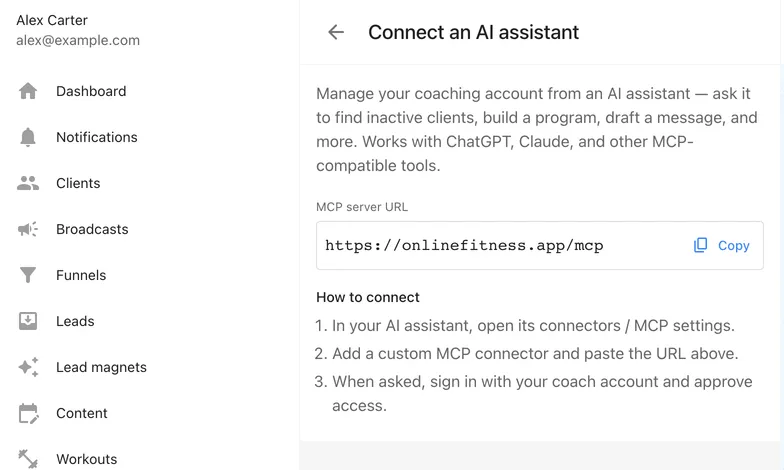
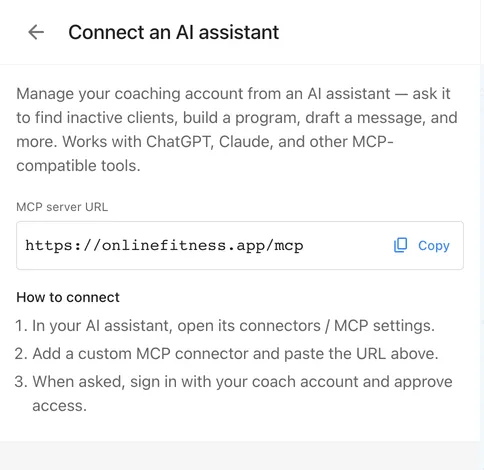
In your cabinet, open Settings → Connect an AI assistant and copy the MCP server URL — it is the same for every coach and every AI app:
https://onlinefitness.app/mcp
Enable developer mode in ChatGPT
Custom MCP apps live behind ChatGPT's developer mode, on the web app: open Settings → Apps → Advanced settings and turn on Developer mode. Who can flip that toggle depends on the plan:
- On Business plans, only workspace admins and owners can — each admin turns it on for their own account.
- On Enterprise and Edu plans, an admin first grants access under Permissions & Roles → Connected Data; after that the toggle appears in your own settings.
Create the app and sign in
- Go to Apps → Create — from Workspace settings as an admin, or from your own settings if you were granted access.
- Enter the MCP server URL and a name — “OnlineFitness.app” works.
- Pick OAuth as the authentication method.
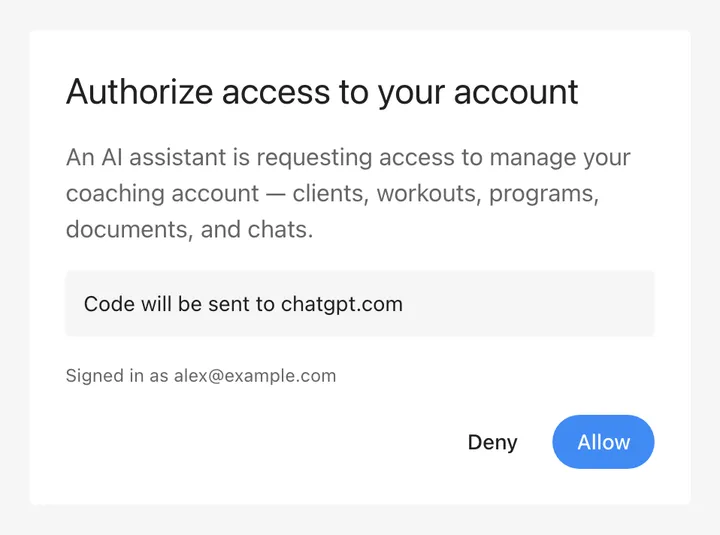
- Press Scan Tools. ChatGPT opens the OnlineFitness.app sign-in — sign in with your coach account and press Allow on the consent screen.
- When the scan finishes, press Create.
Publish it, then ask for work
The new app starts as a draft. A workspace admin publishes it from Workspace settings → Apps → Drafts — ChatGPT shows a review step for apps with write actions. Once published, it appears in everyone's Apps settings.
In a chat, select the app in the tools menu — or just mention it — and ask in plain language: “list my clients”, “build Anna a program from my library”, “summarize this week's check-ins”. For write actions ChatGPT asks you to confirm before anything changes.
One ChatGPT-specific detail: after publishing, the workspace uses a frozen snapshot of the tools. When the connector gains new tools, an admin refreshes them from Workspace settings — nothing updates behind your back.
Questions, answered
Is OnlineFitness.app compatible with ChatGPT's requirements?
Yes. The server speaks Streamable HTTP and handles sign-in over OAuth with refresh tokens (the offline_access scope ChatGPT's docs call for) — so the connection persists instead of expiring after the first session.
Why can't I add it on ChatGPT Plus?
OpenAI currently limits custom MCP connectors to Business, Enterprise, Edu and (read-only) Pro plans. That is a ChatGPT policy, not a limitation of the connector — the same URL works in Claude on paid Claude plans.
Does it work in the ChatGPT mobile app?
No — OpenAI supports MCP apps on ChatGPT web only for now.
Can deep research use the connector?
Yes, for reading only: deep research can use read and fetch tools — never write actions. Agent mode does not use custom MCP apps at all.
Will ChatGPT ask before changing things?
Yes. For write actions — creating a workout, sending a broadcast — ChatGPT asks for confirmation based on the action's impact. Some risky actions may be blocked by ChatGPT's own safety layer.
Where does this information come from?
The ChatGPT-side steps follow OpenAI's official documentation on developer mode and MCP apps, checked on the date at the top of this page. OpenAI labels the feature beta, so details may shift — OpenAI's help article is the source of truth.