For coaches who already work online
Videos on Drive. Programs in Notes. Check‑ins lost in a chat.
You built that system yourself and it works. Moving it takes one evening — drag your clips in as a batch and they name themselves.
Free for life for our first 100 coaches · No credit card · After that $49/month flat — at 4 clients or at 40
The part you were dreading
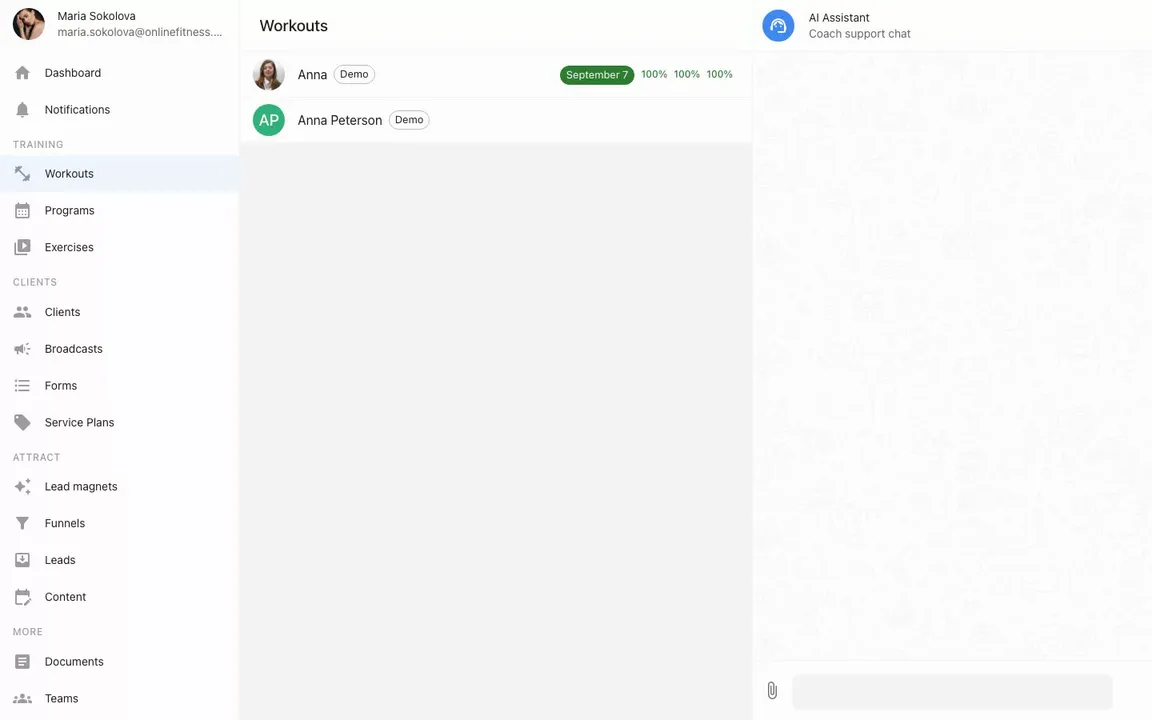
Forty clips, one drag
Select every clip you have and drag them in together. They arrive named after your files — and that is the last you see of those names.
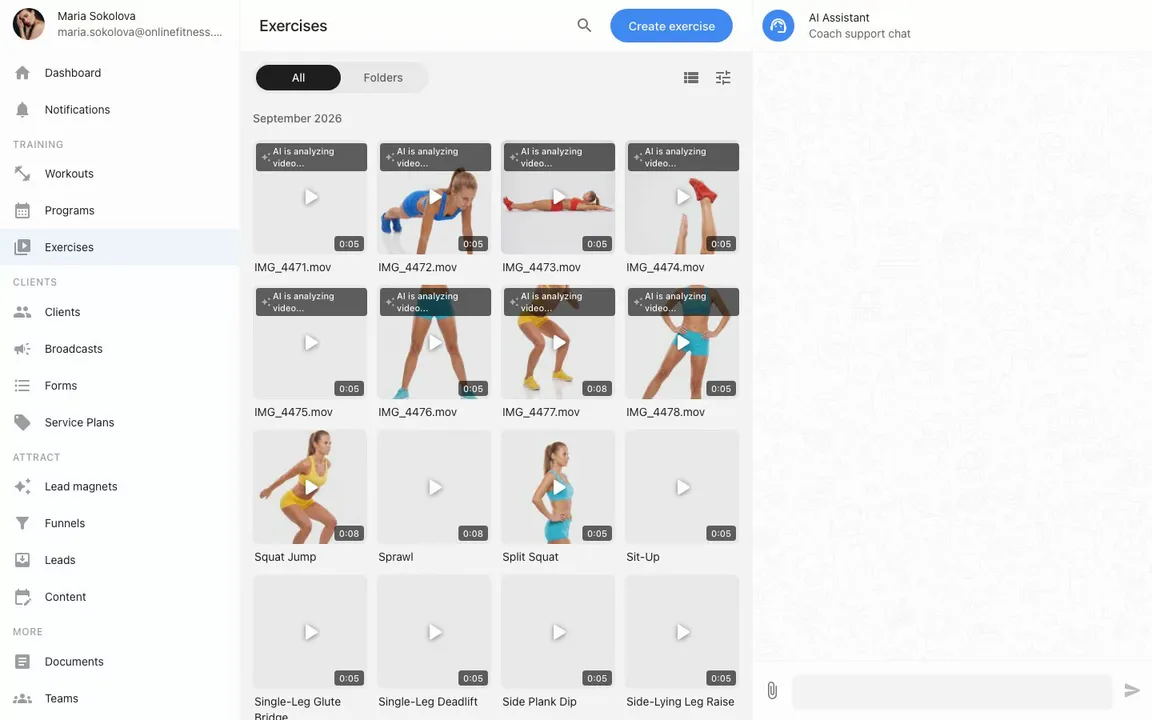
The AI watches each clip and writes the title, the tags and a written description of the movement. Come back to a library that reads like someone spent a week on it.
Storage isn't metered. The forty clips, and the next forty, are included on every plan.
Before you add anything
The account isn’t empty when you open it
A demo client is waiting when you first sign in — a week of training, her logged sets, and a chat where she sent a video of her technique. You can walk the whole thing from her side of the app before a single real person sees you learning the buttons.
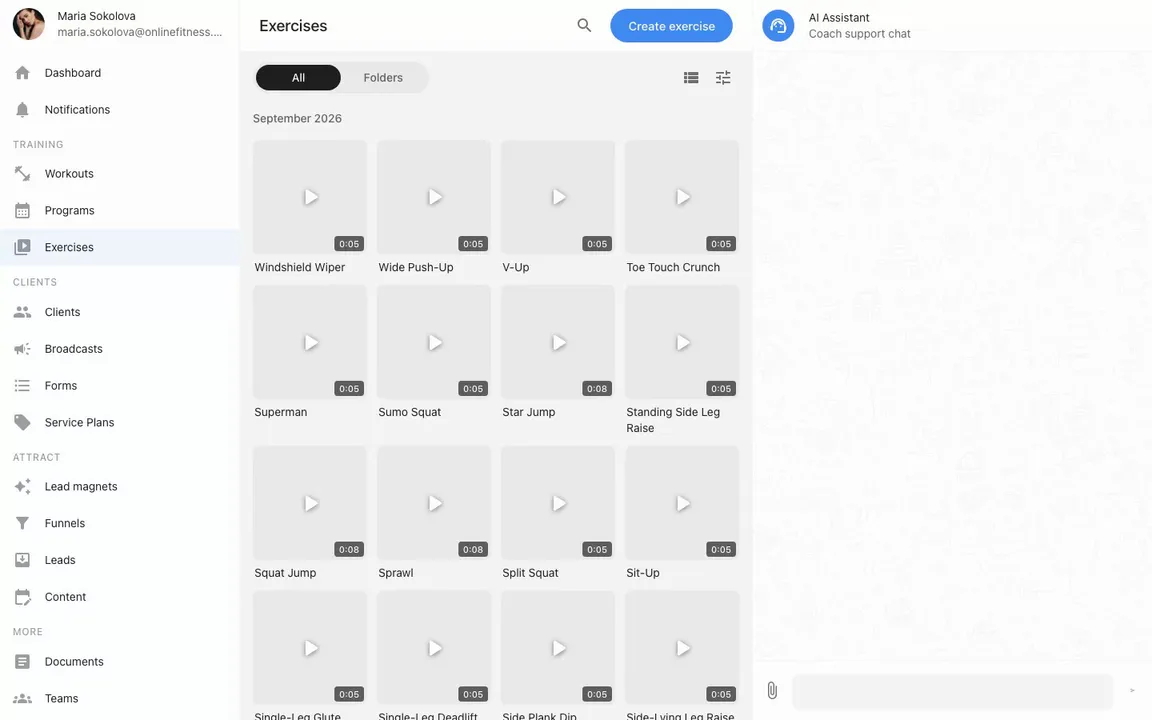
The 51 exercises she trains on are yours too — filmed vertically, sorted into a library with folders and search, each one with written cues. Nothing to shoot before you build a first week.
A program, a welcome page and your address at onlinefitness.app/yourname come pre-built, with example wording waiting to be replaced.
Everything else, line by line
Same job, different address
The setup you have now
In the app
-
Now A folder of forty clips, and you open six to find the right one
Here A library with folders, search and thumbnails — one clip, reused in every workout
-
Now Last client’s program, copy-pasted, name changed
Here Program templates you build once and assign to the next client in seconds
-
Now “3×12, rest 60s” typed into a DM
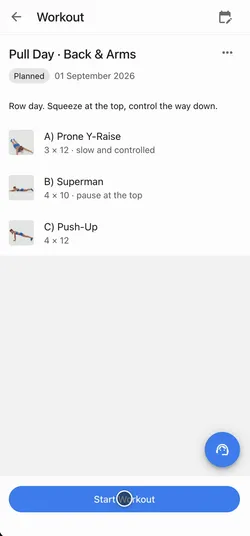
Here A workout card with sets, reps, rest and the video, open on their phone
-
Now Their check-in scrolled past three days ago
Here Every finished set on the client’s card, with the note they left about it
-
Now Weights and measurements you ask for, then type in yourself
Here Measurements the client fills in, with the history kept
-
Now “Did they pay this month?” kept in your head
Here Access dates and payments written down — you see who runs out when
You still write the program. You still talk in chat — text, video and voice notes. You still take the money your way — we don’t process payments and don’t take a cut.
One evening, one client
Moving one person is enough to tell
Not a migration — an experiment. Two steps tonight, and the first logged workout arrives by morning.
-
19:40
Invite one client
Name and email. They tap a link — no password, no setup.
-
19:52
Put a week in the calendar
Pick the days, drop exercises in. The library is already stocked.
-
next morning
Read how it went
They ticked off sets overnight and left notes. It’s all on their card, not in a chat.
We wrote the guide for this move
Read it before you sign up, if you like
Questions coaches ask before moving
What happens to the clips I already have?
Select them all and drag them in together. Each clip becomes an exercise. Once the video is processed, the AI writes the title, the description and the tags for you — and you can edit any of it afterwards.
Do I have to film a library before I start?
No. 51 exercises come filmed with the account, shot vertically and sorted into a folder. You add your own movements whenever you like.
I tried one of these before and it was bloated.
Fair. There's no habit tracker here and no meal-plan module. To run a client you need three places: the client's card, the calendar and the chat — the rest of the app stays out of the way until you go looking for it. No onboarding call, and no annual contract hiding behind a monthly price.
What happens to my current clients?
You invite them by email. They tap the link and they are in — no password to make up, no account to create. It opens in a browser and installs as an app if they want it. Inside, the chat works the way they already expect: text, photos, video and voice notes.
Do you take a cut of what I charge?
No. We don’t process payments and don’t touch your money — card transfer, invoice, whatever you use now stays exactly as it is. You mark the access date, the record stays there.
What does it cost?
Nothing, if you join now: our first 100 coaches get everything free for life — we just want your feedback. After that it’s free for three clients, then $49 a month flat — at four clients or at forty.
Move one client this week
Not the whole roster. One person, one evening of setup — and the next few mornings will tell you whether this beats the folder and the chat.
Start freeFree for life for our first 100 coaches · No credit card