AI for personal trainers
The AI assistant for fitness coaches that builds the program for you
Tell it what a client needs. It builds real workouts on the client’s calendar from your own exercise library, onboards new clients and reads check-ins — you review, adjust and stay the coach.
Included with your free cabinet · Fair use · No per-message fees
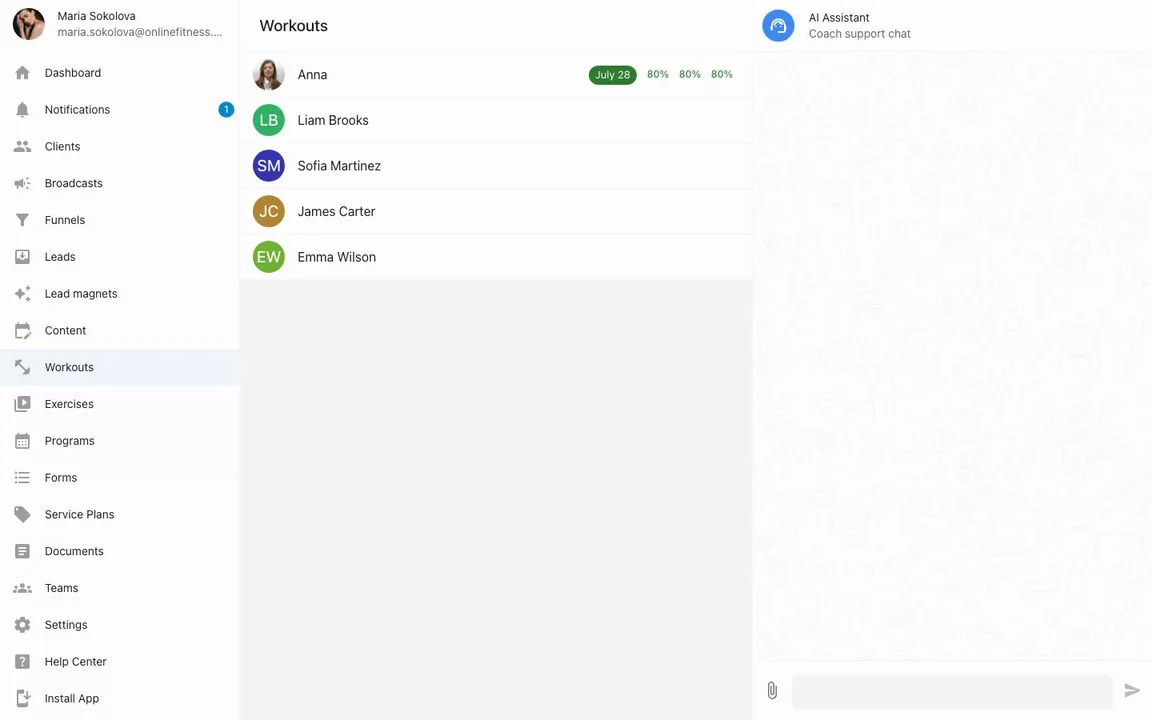
Recorded in the real product — one message, and the workouts land on the client’s calendar.
What it does
What an AI assistant does for a fitness coach
The admin between sessions: programs, schedule changes, onboarding, forms, check-ins. These are things coaches actually ask it — every one a real capability, not a demo script.
Build Marcus a 4-week strength block — three sessions a week, he’s got a home rack.
Used 9 tools
Done — twelve workouts are on Marcus’s calendar, built from your exercise library with sets, reps and rest times.
Move this week’s leg day to Saturday and add core work.
Moved to Saturday and added a core block. You were on Anna’s page — I didn’t need the name.
Remember: Kate is postpartum — no heavy axial loading for now.
Saved to Kate’s profile. Every program I build for her from now on will account for it.
Create a client Anna (anna@example.com) and set up an intro week.
Used 4 tools
Client created and invited by email. Her intro week is scheduled — two full-body days.
Summarize Mike’s check-in answers and adjust next week’s volume.
Sleep is down and Thursday felt heavy. I’d pull volume back — want me to apply that to next week?
Draft an intake form for new clients: goals, injuries, schedule.
Used 2 tools
Drafted — eight questions covering goals, injuries and schedule. It’s in your Forms, ready to edit.
Some AI needs no prompt at all
Upload a raw exercise video — the title, description and tags write themselves, in your language. Your edits always win.
Context, not chat
Why not just use ChatGPT?
ChatGPT on its own is a smart stranger: it gives advice. The assistant in your cabinet knows your clients and does the work.
Your clients
ChatGPT on its own Knows nothing about them. You paste the context in every time.
Your assistant Sees the page you’re on and remembers notes per client — tell it once that John has a bad knee, and every program respects it.
What you get back
ChatGPT on its own A plan in text or a PDF you retype into your app.
Your assistant Real workouts on the client’s calendar, ready for them to train.
Exercises
ChatGPT on its own Generic moves, described in words.
Your assistant Your own exercise library and your own videos first — your method, not a template bank.
Doing things
ChatGPT on its own It only talks.
Your assistant Creates clients, drafts forms, moves workouts — and shows every tool it used.
Prefer to stay in ChatGPT or Claude? You can — connect it to your cabinet, and it gets the same access.
In the client app
Your clients get an AI too — on your terms
A 24/7 companion in the client app answers “what’s my workout today?” from their actual plan. It knows their schedule, speaks your rules, and can’t change your programming.
You set its instructions — so at 11pm on a Sunday it answers the routine questions, and the coaching questions still come to you.
AI Assistant
What am I training tomorrow and how long will it take?
Tomorrow is Lower Body · Strength — 5 exercises, about 45 minutes. Your coach scheduled it for 7:00 AM. Want the exercise list?
Bring your own AI
Prefer ChatGPT or Claude? Connect it.
Your cabinet is also an MCP server with 131 tools. Connect ChatGPT, Claude — any MCP-compatible AI — and run your whole coaching business by conversation: clients, programs, funnels, leads, broadcasts, your content calendar.
Sign in with your coach account; your AI only ever sees your own data. It can even send client messages and broadcasts — in your name, from the AI you set up and control.
New to MCP? See how it works
You stay the coach
What it won’t do
Every action is visible
Each reply shows the tools it used. Nothing happens behind your back.
Everything is editable
Workouts, forms, client notes — whatever it creates lands in your cabinet as regular objects you can change or delete.
The built-in assistant never messages clients
The built-in assistant works for you, in your cabinet. Writing to clients stays with you.
It acts when you ask
No background automation, no surprises overnight. You send a message; it does the work.
Questions, answered
What can an AI assistant do for a fitness coach?
The admin between sessions: build a multi-week program on a client’s calendar from your exercise library, reschedule workouts, create and invite clients, draft intake forms and summarize check-in answers. It acts when you ask and shows every tool it used — the coaching decisions stay yours.
Can AI replace a personal trainer?
Not this one. It takes the admin — building, rescheduling, summarizing — and leaves assessment, judgment and the relationship to you. The companion in your clients’ app answers questions from your plan and can’t change your programming.
What does the AI assistant cost?
It’s included with your cabinet on fair use — no per-message fees. See pricing for what your balance does and doesn’t cover.
Will it message my clients?
The built-in assistant won’t — writing to clients stays with you. If you connect your own AI over MCP, it can send messages in your name, but only from your own AI client that you set up and control.
Where do the workouts come from?
From your own exercise library first — your videos, your instructions. If your library doesn’t cover something, it says so instead of inventing exercises.
Can I use ChatGPT or Claude instead?
Yes. Your cabinet is also an MCP server with 131 tools — connect ChatGPT, Claude or any MCP-compatible AI and manage clients, programs, funnels and content from there.
Which AI model powers it?
Up-to-date commercial models — we swap them as better ones ship, with nothing to configure on your side.
Go deeper
Build by hand, or read how coaches split the work with AI
Build by hand, fast
Everything the assistant drafts lands in the same place you work by hand: a canvas calendar with program templates, your exercise library, and one-click assign.
Meet the workout builderAI in your coaching business
A chapter of The Online Fitness Coach Handbook on the working split: AI takes the routine and the technical side, you take the humans.
Read the chapterTry it on your next program.
Upload a few exercises, open the assistant, and ask for a week. That’s the whole onboarding.
Start freeFree for life for our first 100 coaches. No credit card.